Feature · Compliance checks
Catch COA mistakes before your customers do.
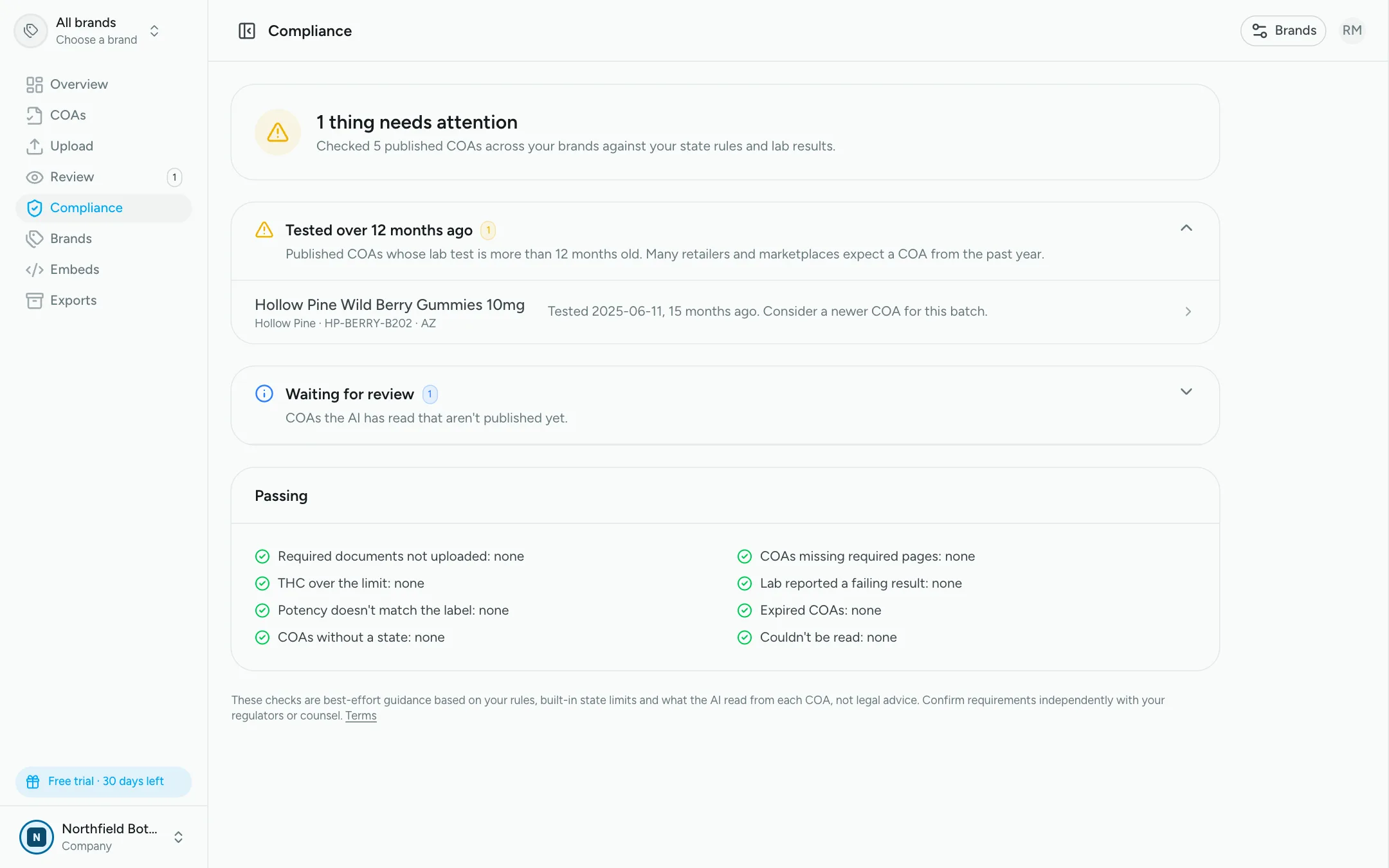
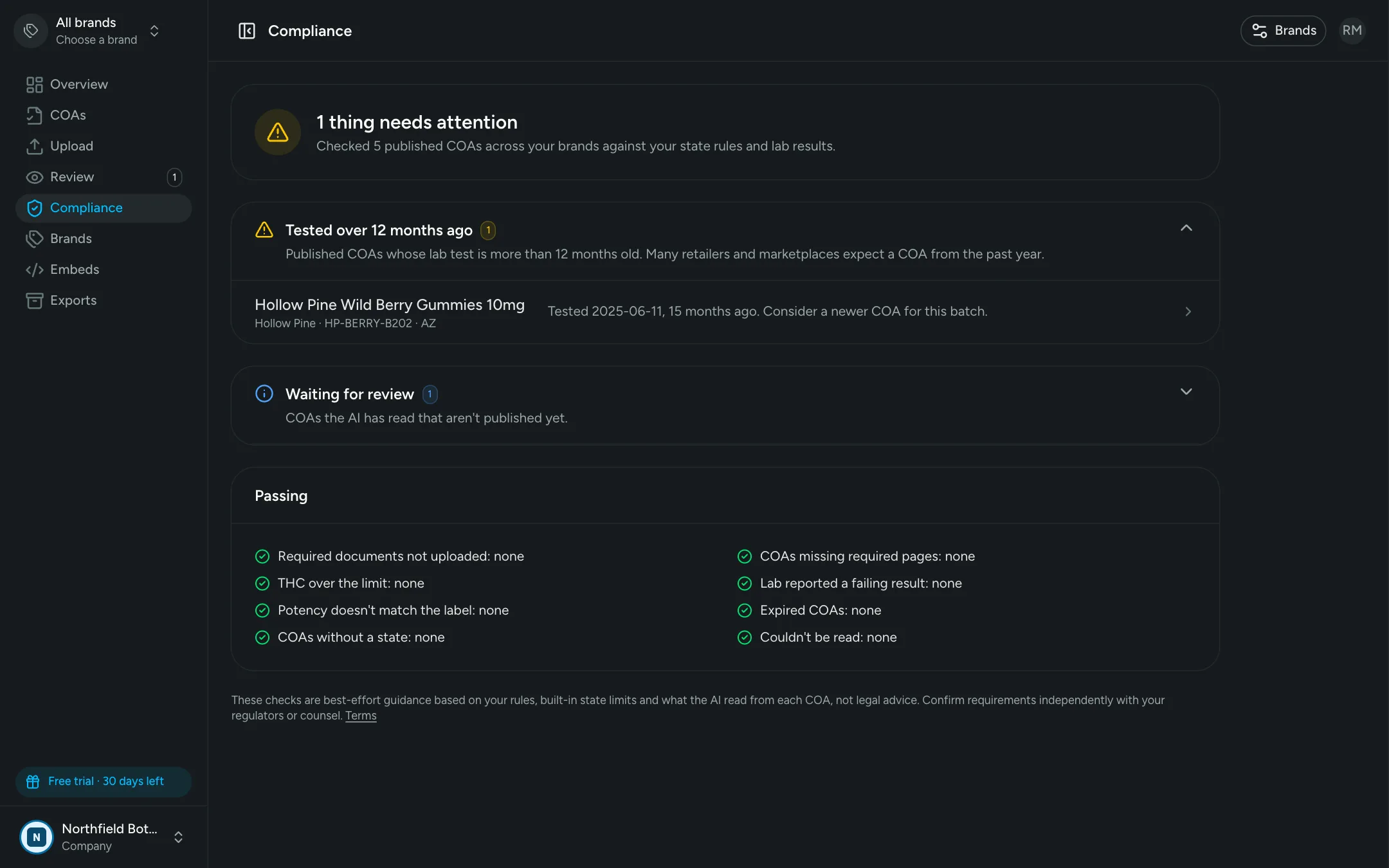
COA Comply checks every certificate against your state rules and the lab's own results, then shows you exactly what needs attention, across every brand, in one place.
30-day free trial · No credit card required
What we check
Nine checks, running on every COA
One wrong PDF behind a QR code can mean a recall, a fine or a lost retail account. These are the mistakes that slip through manual processes most often.
Missing required pages
Published COAs without the cover sheet or licensed retailer list their state rule requires, and brands whose rules call for a document that was never uploaded.
Learn more about missing required pages
THC over the limit
THC per serving or per package above the limit for the COA's state, using your own limits or the built-in standards for 22 states.
Potency vs. the label
Lab results that differ from the label claim by more than your tolerance, like a "100mg" product that tested at 107 mg.
Failing results
COAs where the lab reported a failing result, so they never sit on your site or behind a QR code unnoticed.
Expired COAs
Published certificates past the expiration date on the lab report.
Tested over a year ago
A gentle warning for COAs whose lab test is more than 12 months old, since many retailers and marketplaces expect a recent one.
COAs without a state
COAs missing their market, so state rules and limits can't be applied. Hemp sold nationally is fine.
Waiting for review
Uploads the AI has read that nobody has approved yet, so nothing gets stuck between the lab and your customers.
Learn more about waiting for review
Couldn't be read
PDFs the AI couldn't read, flagged to re-run or replace before they hold up a launch.
At a glance
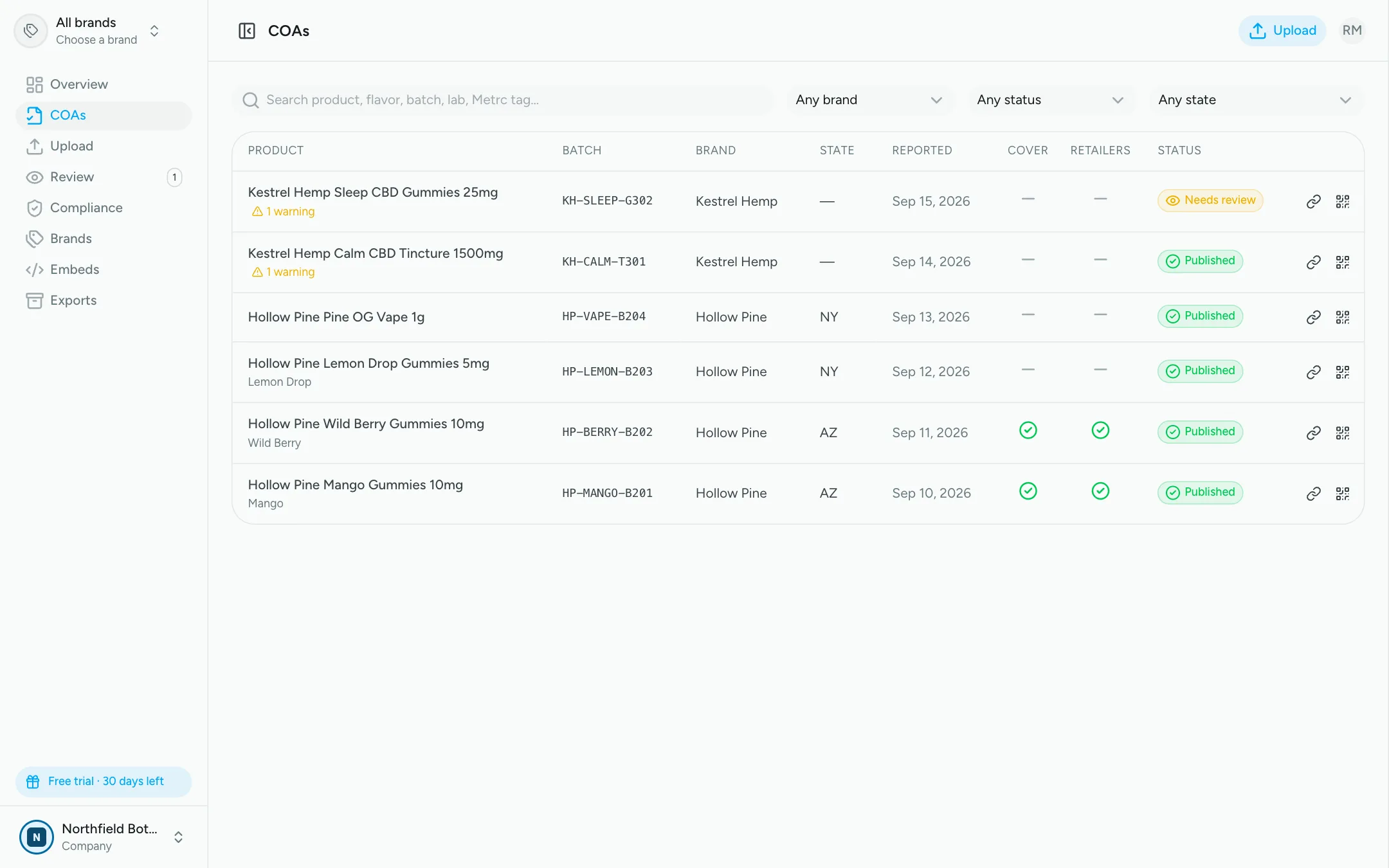
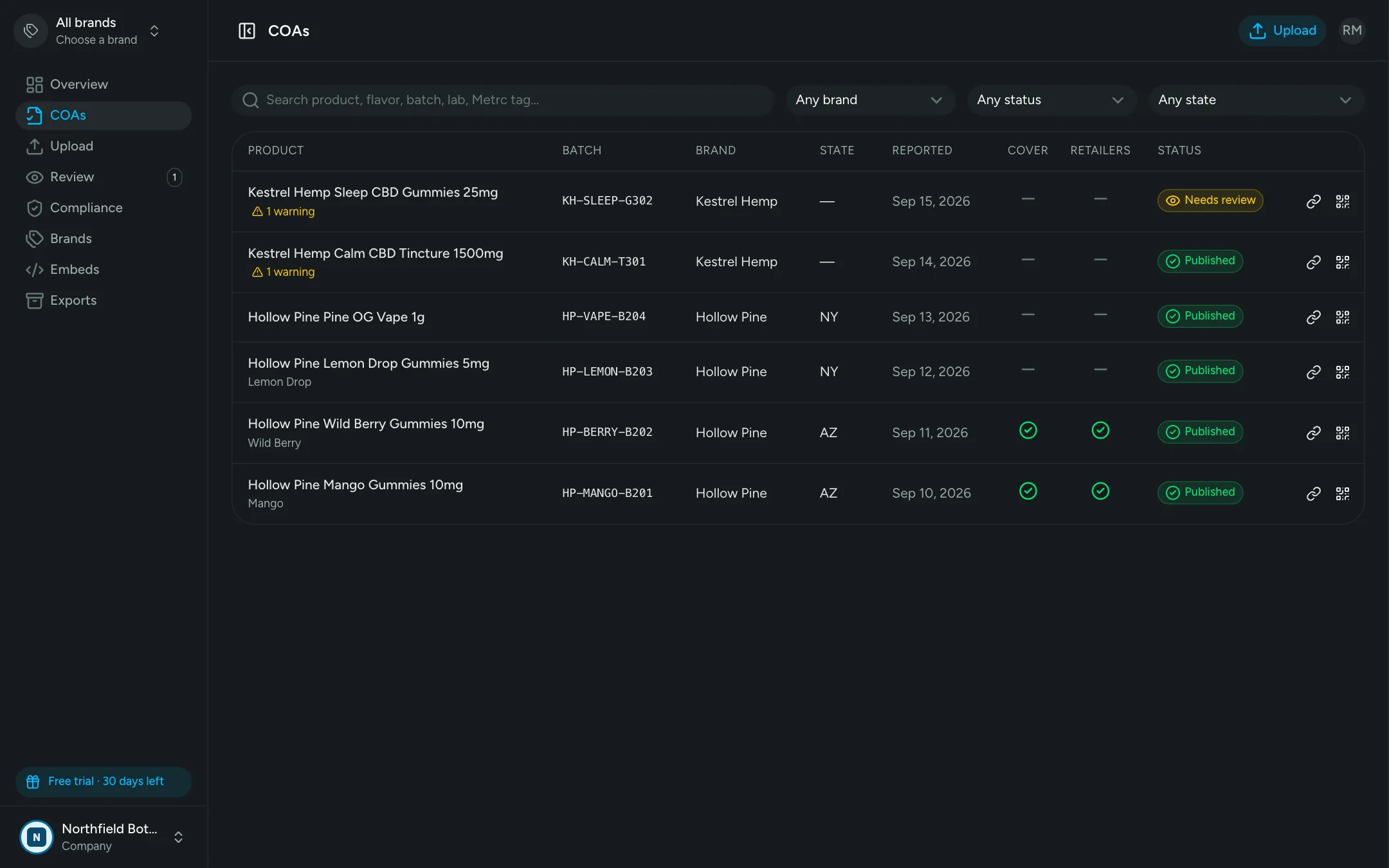
See what every PDF contains, right in the list
Cover and Retailers columns show whether each COA has the pages its state requires: in the lab upload, added at publish, coming at publish, or missing.
- Included or added
- Will be added when published
- Required but missing
State rules & limits
Built-in state limits, with your rules on top
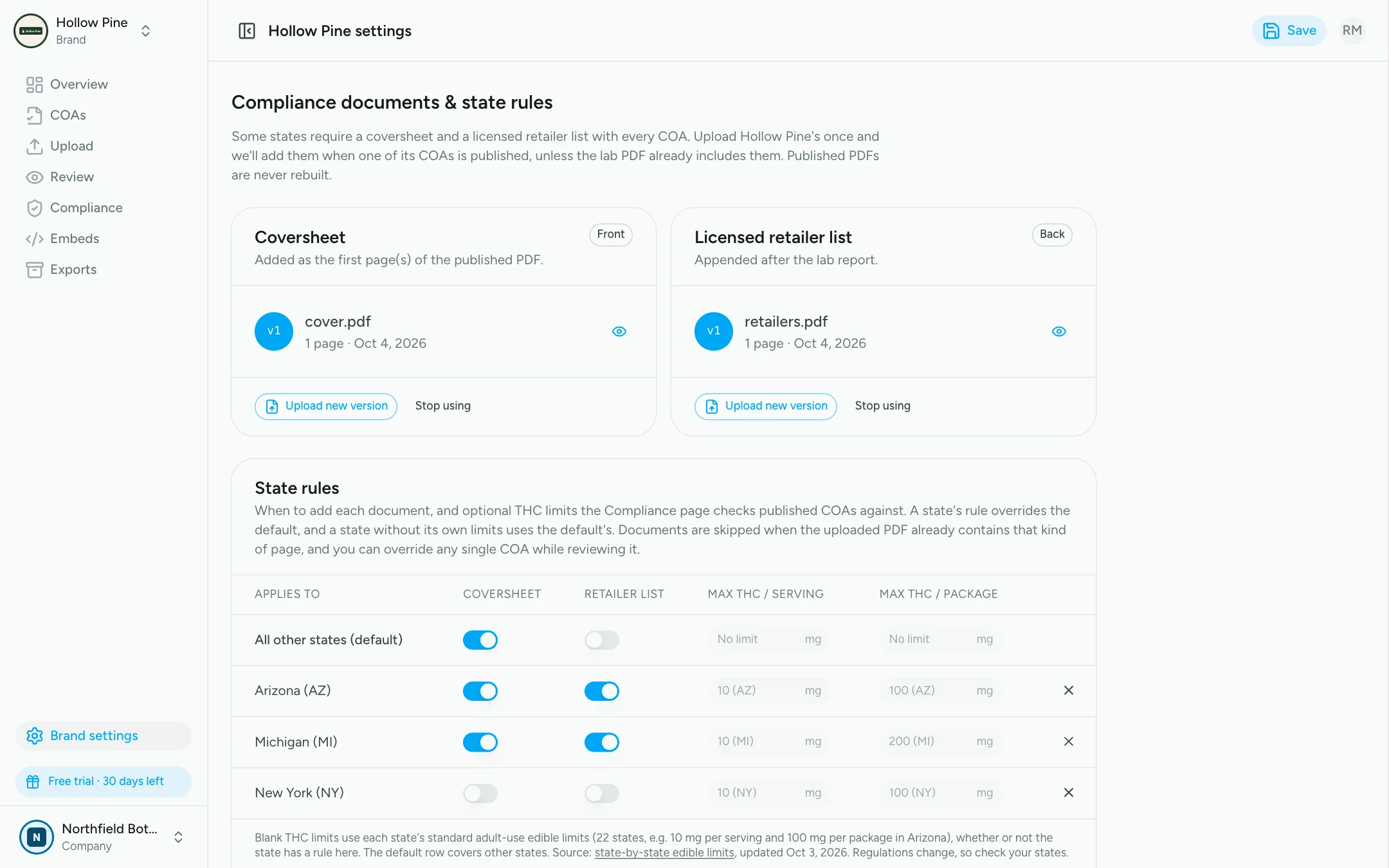
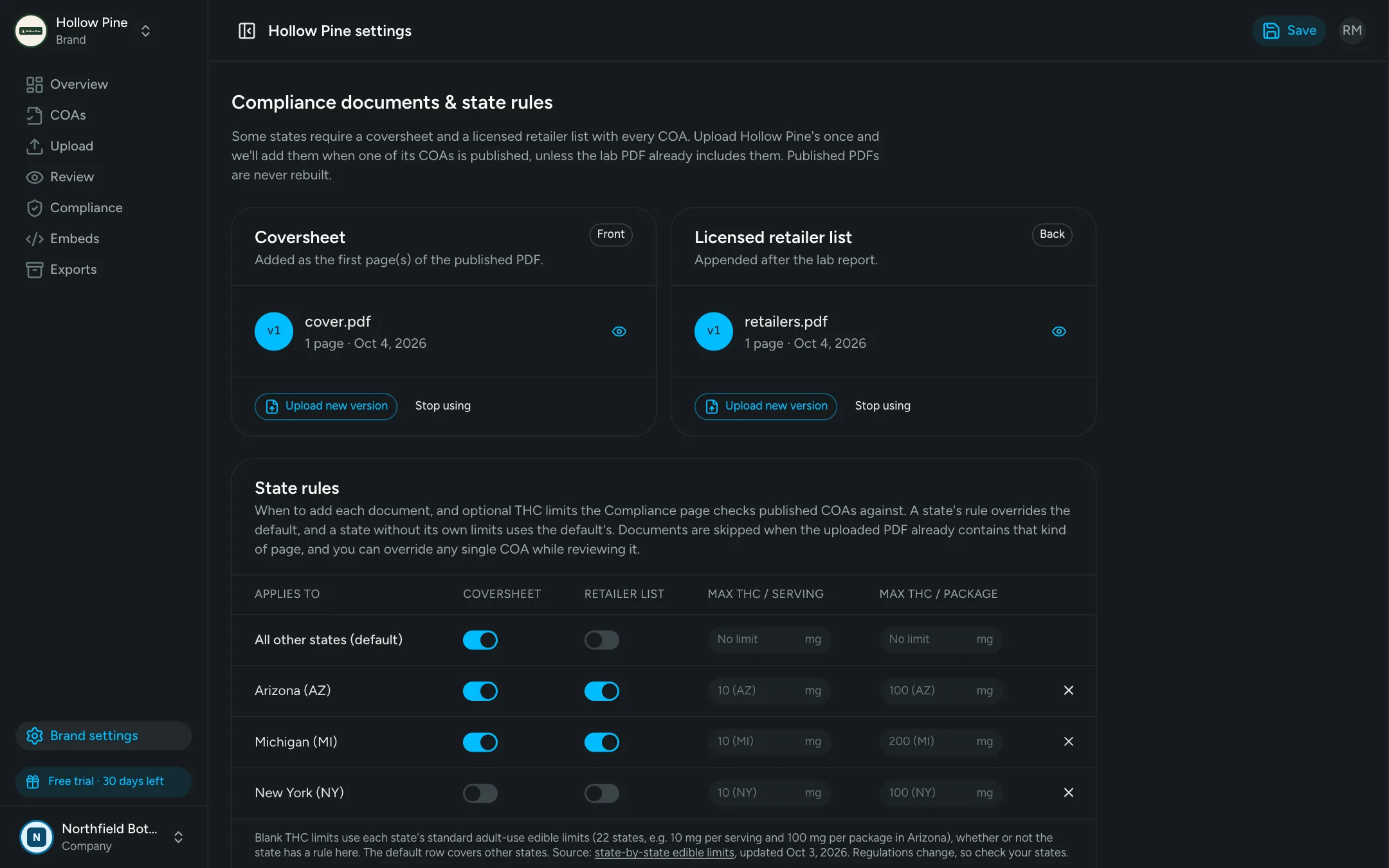
Standard adult-use edible limits for 22 states work out of the box. Set your own per-serving and per-package limits for any state, or a default for the rest, alongside when to add cover sheets and retailer lists.
Earlier is cheaper
Problems caught at every step, not after launch
At upload
The AI flags uncertain fields, brand or state conflicts and label-vs-lab potency gaps the moment a COA is read.
At review
Check the flagged fields side by side with the PDF. Nothing is public until you approve it.
At publish
The right cover sheet and retailer list are added for the COA's state, never twice.
After publish
The compliance summary keeps checking: limits, expirations and anything that changed since.
One view for the whole company
Check one brand, or roll up every brand you run. Each finding links straight to the COA, or to the brand setting that fixes it.
FAQ
Frequently asked questions
Every published COA is checked for the cover sheet and licensed retailer list its state requires, THC above the per-serving or per-package limit for its state, failing lab results, potency that doesn't match the label, expiration dates, lab tests more than 12 months old and a missing state. It also flags uploads waiting for review or that couldn't be read, and brands whose rules require a document that was never uploaded.
COA Comply includes standard adult-use edible limits for 22 states, such as 10 mg per serving and 100 mg per package in Arizona, or 200 mg per package in Michigan. Set your own limit for any state, or a default for the rest, and it takes priority. Hemp products sold nationally aren't checked against state cannabis limits.
From the moment you upload. The AI flags uncertain fields and label mismatches before review, publishing adds the documents each state requires, and the compliance summary keeps checking published COAs, for example when one expires.
Upload the brand's retailer list (or turn on the state rule), then re-publish the COA. The published PDF is rebuilt with the document and the QR code and links stay the same.
No. COA Comply doesn't give legal advice: the checks and built-in limits are our best guess to help you spot problems quickly. Regulations change and vary by state and product type, so confirm every requirement independently with your regulators or counsel, and set your own limits where they differ. See our terms for details.
COA Comply doesn't provide legal advice. Compliance checks and built-in state limits are best-effort guidance and should be confirmed independently. Read our terms.
Find out what's hiding in your COAs
Upload your existing COAs during the free trial and see your compliance summary in minutes. No credit card required.
30-day free trial · No credit card required