Feature · Compliance documents
The right cover page and retailer list, for every state.
Stop merging PDFs by hand. Set your rules once per brand and COA Comply builds each published COA with the documents its market expects.
30-day free trial · No credit card required
State rule set · example
| Scope | Cover page | Retailer list |
|---|---|---|
| Default | ||
| Arizona | ||
| New York | ||
| Michigan |
How it works
Compliance documents, applied automatically
Cover pages, added for you
Upload a cover page per brand. It's placed in front of the lab certificate on publish, so every COA looks consistent.
One central retailer list
Maintain a single licensed retailer list per brand. Update it once and every COA published afterwards gets the new version.
State rule sets
Defaults plus per-state overrides for cover pages and retailer lists, across all 50 states and DC.
Never added twice
AI checks each upload for an existing cover sheet or retailer list and skips what's already there.
Versioned and frozen
Every document upload is a new version. Published PDFs record exactly which versions they used and are never rebuilt behind your back.
Originals untouched
The lab's original PDF is stored as-is. The published PDF is a separate file: cover page, then the original, then the retailer list.
In the dashboard
Upload once, set your rules, done
Each brand's settings hold its current cover sheet, licensed retailer list and state rules, including optional THC limits. Upload a new version any time; COAs published afterwards use it.
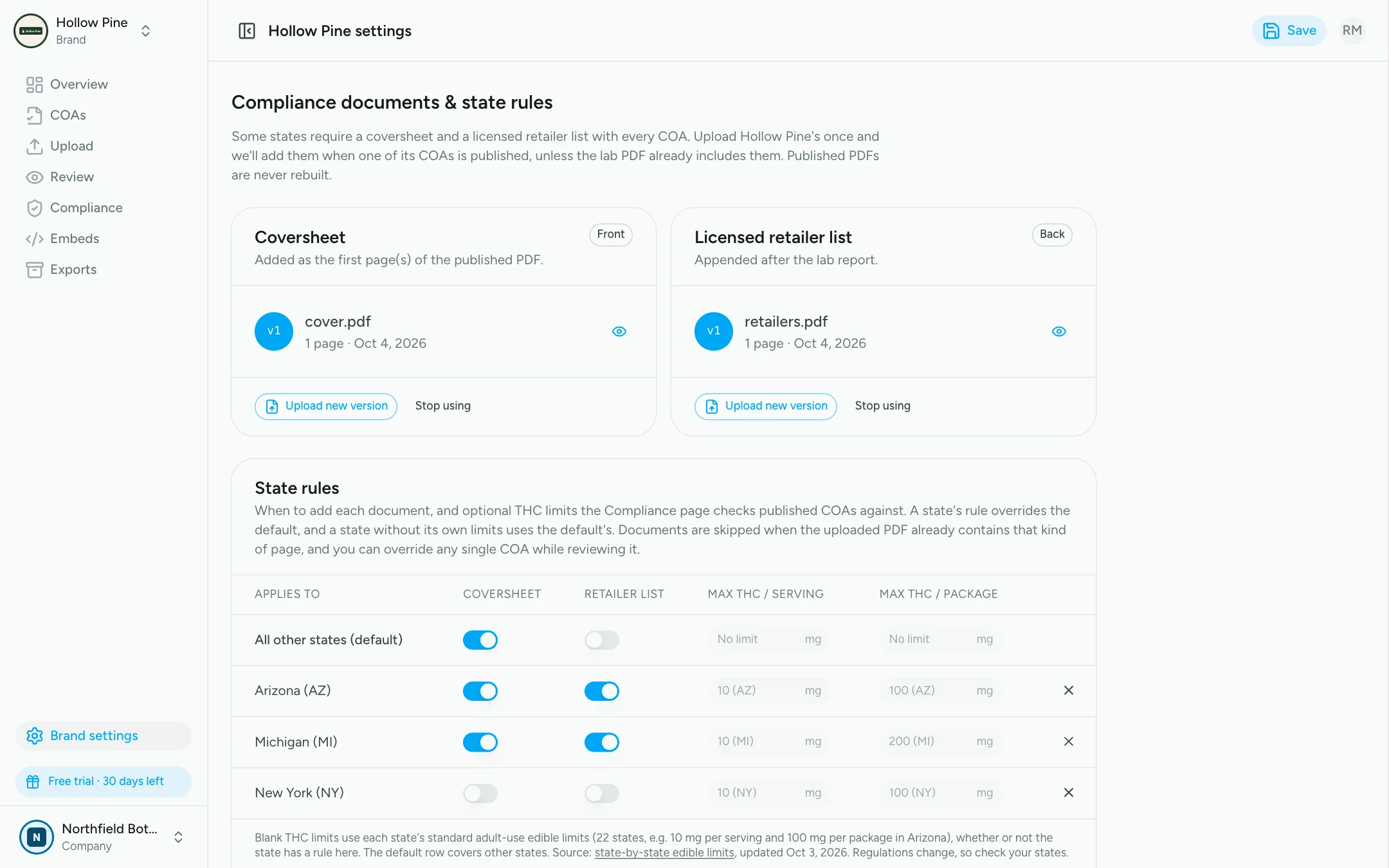
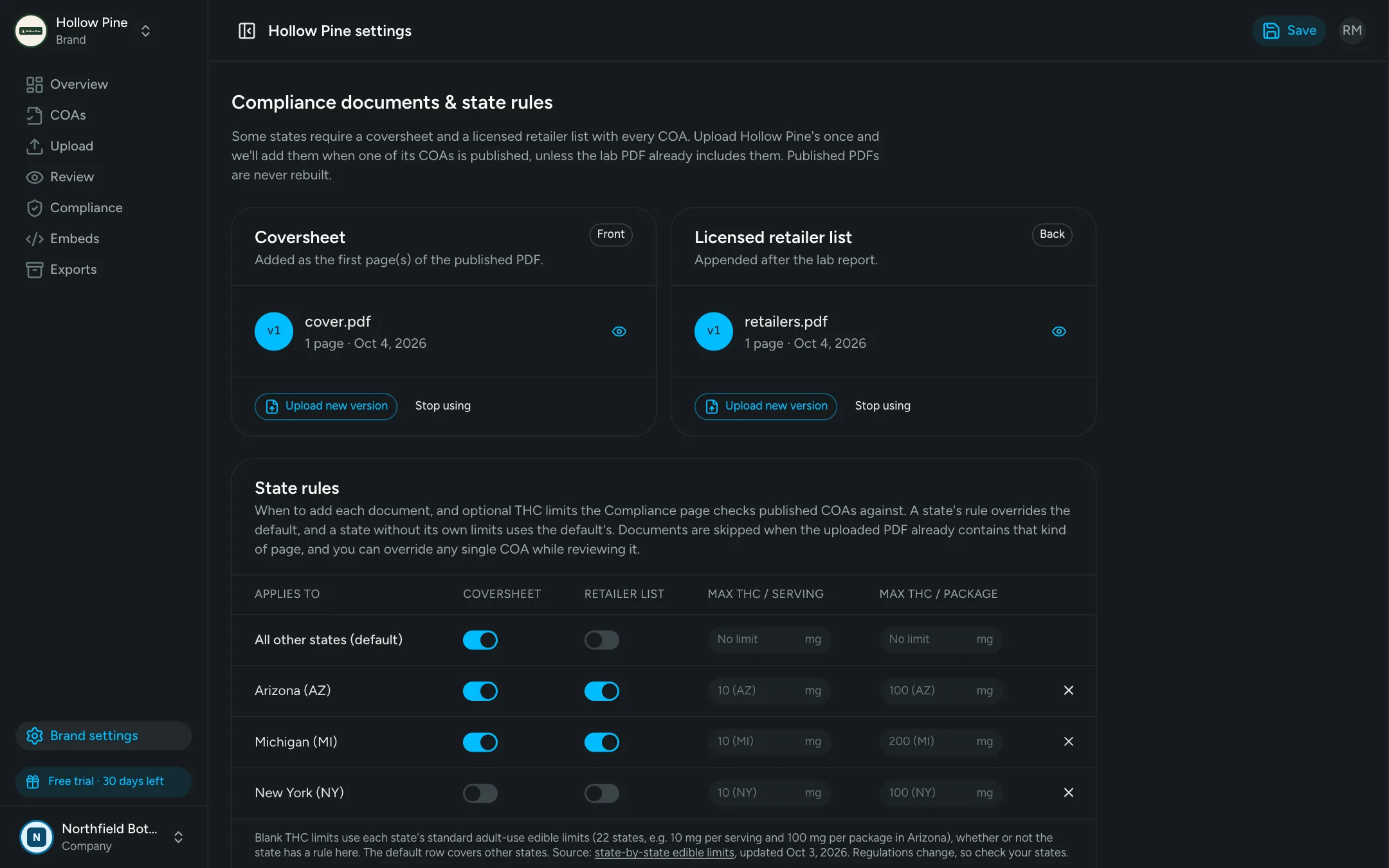
Know every COA has what it needs
The compliance summary flags published COAs missing a required page, THC over state limits, failing or expired results and more.
Different brands, different documents
Every brand keeps its own cover page, retailer list and state rules, so a multi-brand company never mixes them up.
FAQ
Frequently asked questions
A brand cover sheet placed in front of the lab certificate, often with brand, product or licensing details. Upload yours once per brand and COA Comply adds it to published COAs where your state rules call for it.
Some markets expect COAs to include the list of licensed retailers that carry the product. Keep one current retailer list PDF per brand and it is appended to each COA automatically, instead of being merged by hand.
AI classifies every page of the upload. If a cover page or retailer list is already there, COA Comply won't add a second one. You can override this per COA before publishing.
New versions apply to COAs published from then on. Already-published PDFs are frozen and never silently rebuilt, and every COA records which document versions it used.
Each brand has default rules plus optional overrides per state, each turning the cover page and retailer list on or off. A COA follows the rules for the state it was confirmed for.
Put every COA one scan away
Upload your first certificates today and have QR pages, a website embed and API access live in minutes.
30-day free trial · No credit card required